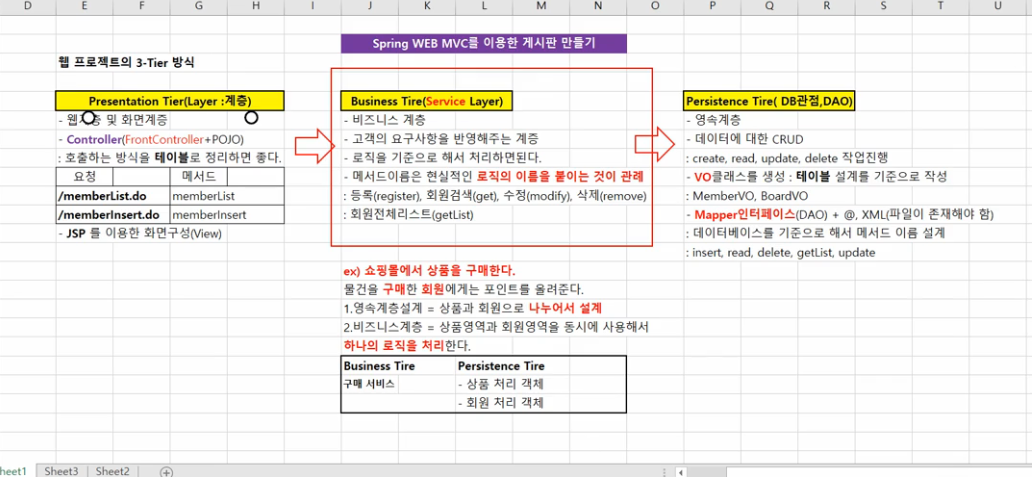
그다음 프레젠테이션 계층을 써보자
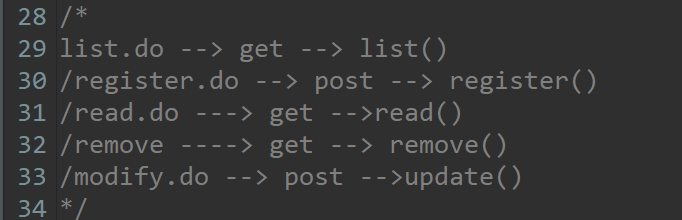
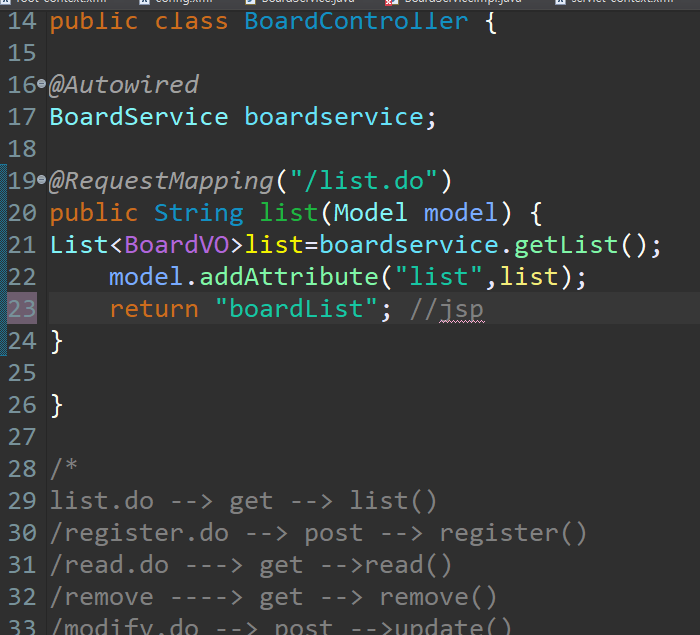
boardlist.jsp 를 만들자
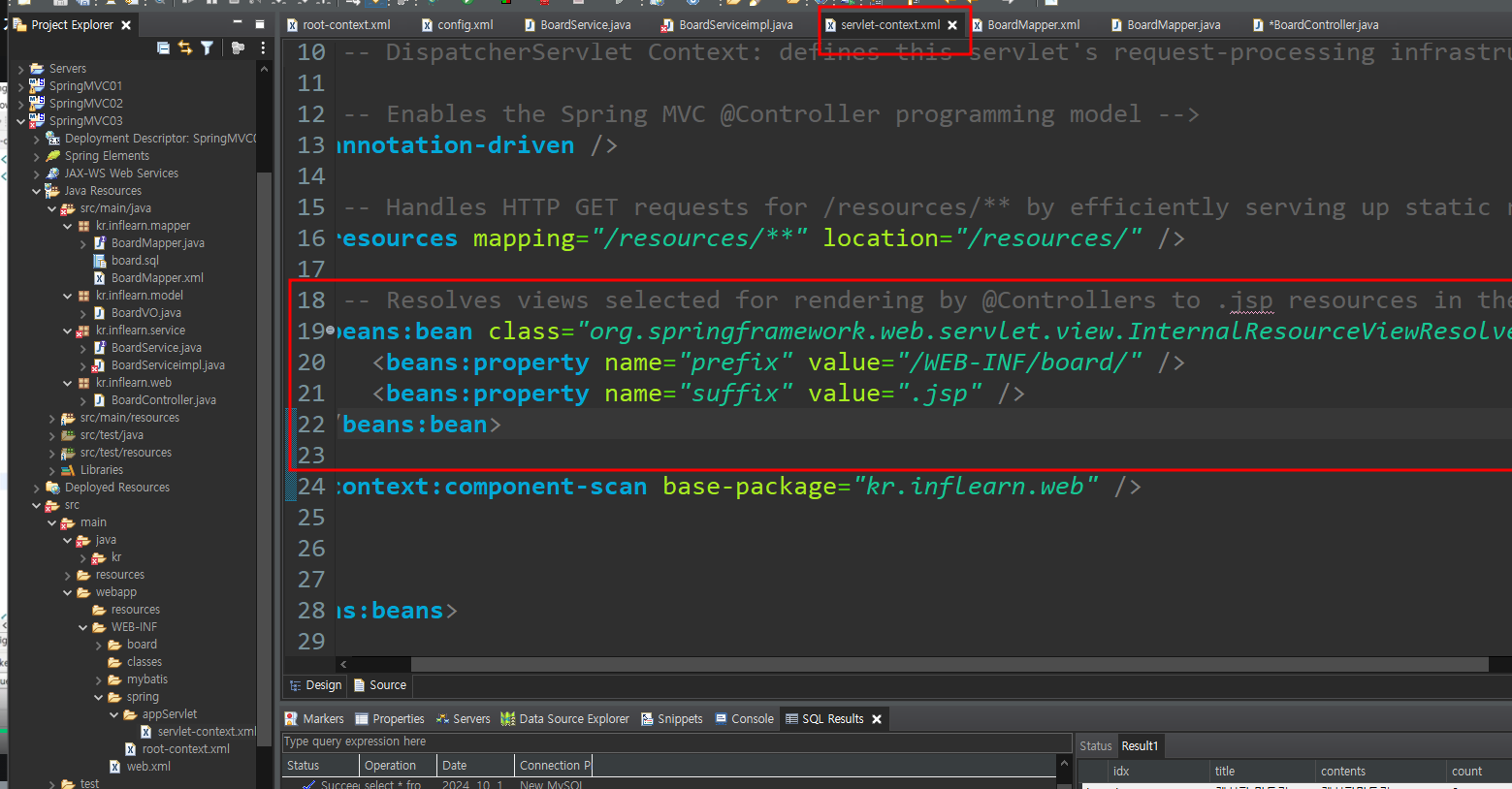
뷰리졸브에서 위치 확인
board 라고 난 바꿧기때문에 board로 바꾸고 board 파일 밑에 bardList.jsp 파일 생성
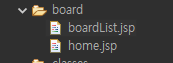
그다음 모든 요청을 .do 로 받을거기 때문에
web.xml 에서 ulr-pattern 을 *.do로 바꿈
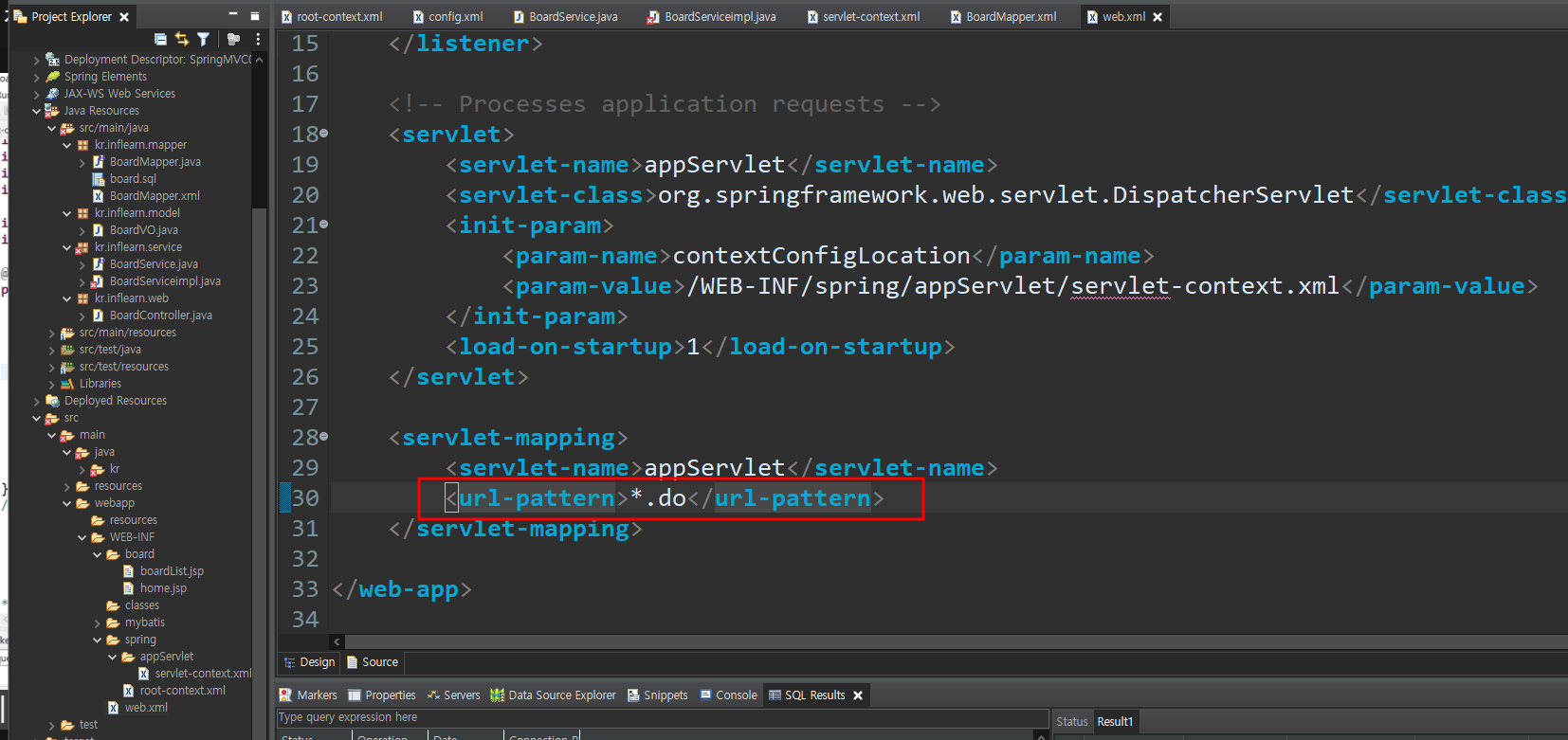
일단 여기까지 한다음 톰캣에 등록한다음
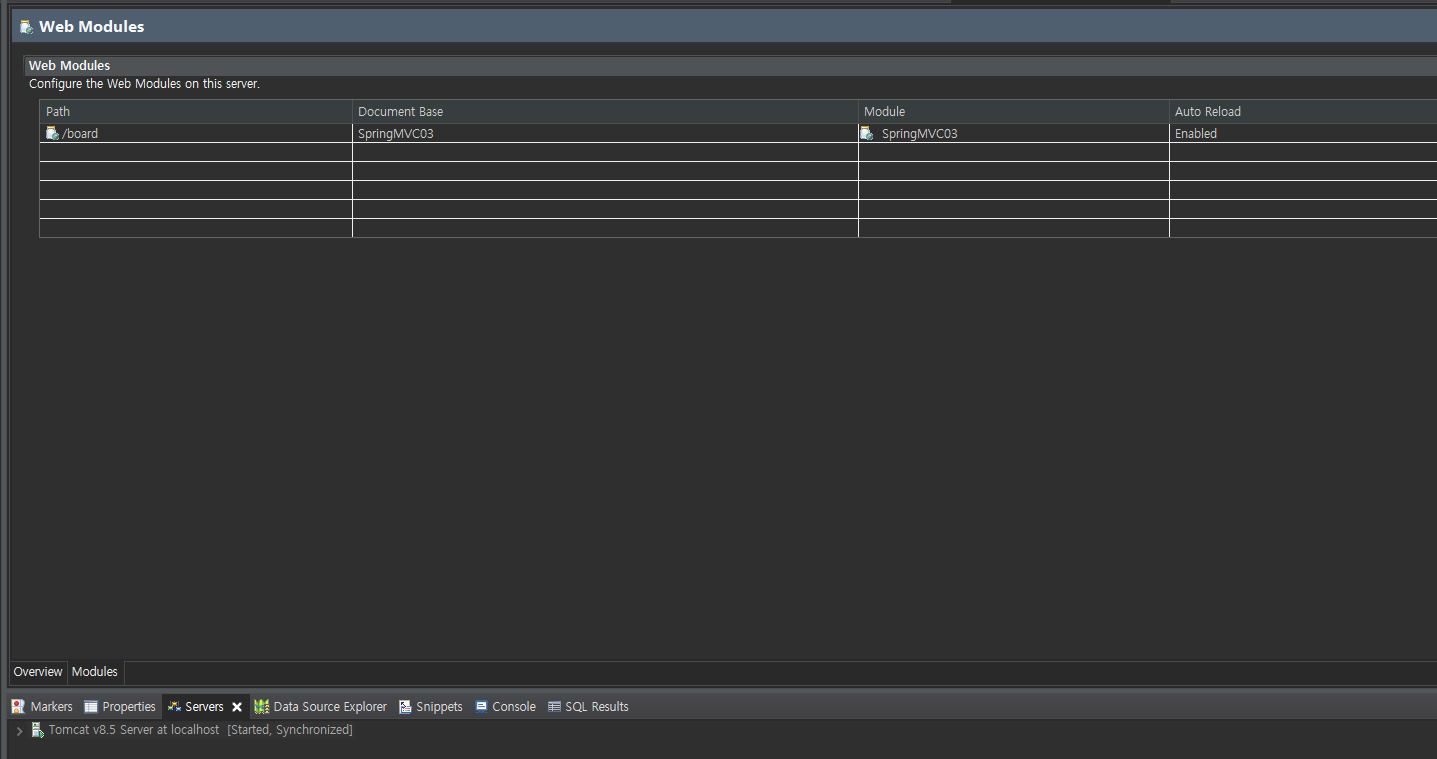
이름 보드로 되어 있는거 확인하고
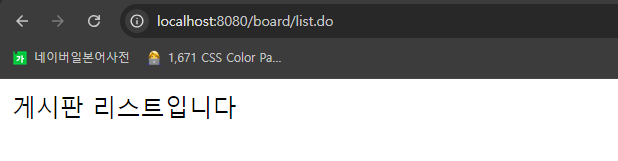
음 잘나오는걸 알수 있다
그다음 프론트 단 을 부트스트랩으로
https://www.w3schools.com/bootstrap/bootstrap_panels.asp
<!DOCTYPE html>
<html lang="en">
<head>
<title>Bootstrap Example</title>
<meta charset="utf-8">
<meta name="viewport" content="width=device-width, initial-scale=1">
<link rel="stylesheet" href="https://maxcdn.bootstrapcdn.com/bootstrap/3.4.1/css/bootstrap.min.css">
<script src="https://ajax.googleapis.com/ajax/libs/jquery/3.7.1/jquery.min.js"></script>
<script src="https://maxcdn.bootstrapcdn.com/bootstrap/3.4.1/js/bootstrap.min.js"></script>
</head>
<body>
<div class="container">
<h2>Panel Heading</h2>
<div class="panel panel-default">
<div class="panel-heading">Panel Heading</div>
<div class="panel-body">Panel Content</div>
</div>
</div>
</body>
</html>
그다음 jstl로
<%@ taglib uri="http://java.sun.com/jsp/jstl/core" prefix="c" %> 복 붙
<div class="table-responsive">
<table class="table">
<thead>
<tr>
<th>#</th>
<th>Firstname</th>
<th>Lastname</th>
<th>Age</th>
<th>City</th>
<th>Country</th>
</tr>
</thead>
<tbody>
<tr>
<td>1</td>
<td>Anna</td>
<td>Pitt</td>
<td>35</td>
<td>New York</td>
<td>USA</td>
</tr>
</tbody>
</table>
</div>
다 넣고
for each 문 넣고
<%@ page language="java" contentType="text/html; charset=UTF-8" pageEncoding="UTF-8" %>
<%@ taglib uri="http://java.sun.com/jsp/jstl/core" prefix="c" %>
<!DOCTYPE html>
<html lang="en">
<head>
<title>Bootstrap Example</title>
<meta charset="utf-8">
<meta name="viewport" content="width=device-width, initial-scale=1">
<link rel="stylesheet" href="https://maxcdn.bootstrapcdn.com/bootstrap/3.4.1/css/bootstrap.min.css">
<script src="https://ajax.googleapis.com/ajax/libs/jquery/3.7.1/jquery.min.js"></script>
<script src="https://maxcdn.bootstrapcdn.com/bootstrap/3.4.1/js/bootstrap.min.js"></script>
</head>
<body>
<div class="container">
<h2>Panel Heading</h2>
<div class="panel panel-default">
<div class="panel-heading">
Spring Web MVC 게시판 만들기
</div>
<div class="panel-body">
<div class="table-responsive">
<table class="table table-hover">
<thead>
<tr>
<th>게시물번호</th>
<th>제목</th>
<th>조회수</th>
<th>등록일자</th>
<th>등록일</th>
</tr>
</thead>
<tbody>
<c:forEach var="vo" items="${list}">
<tr>
<td>${vo.idx}</td>
<td>${vo.title}</td>
<td>${vo.count}</td>
<td>${vo.writer}</td>
<td>${vo.indate}</td>
</tr>
</c:forEach>
</tbody>
</table>
</div>
</div>
<div class="panel-footer">
ㅇㅅㅇ
</div>
</div>
</div>
결과물

'spring framework 인프런강의' 카테고리의 다른 글
| Spring WEB MVC03 게시판 웹 계층 구현하기(등록 및 조회 구현) (0) | 2024.10.23 |
|---|---|
| Spring WEB MVC03 게시판 웹 계층 구현하기(등록 UI 만들기) (0) | 2024.10.23 |
| Spring WEB MVC03 게시판 서비스 계층 구현하기 (0) | 2024.10.23 |
| Spring WEB MVC03 게시판 영속계층 구현하기(Mapper Interface+ XML) (2) | 2024.10.23 |
| Spring WEB MVC03 이용한 게시판 만들기 (1) | 2024.10.23 |


